How to Implement QR Codes in Your Business Strategy
 Incorporating QR codes into your business strategy is easier than you might think. By following a few simple steps, you can ensure they add value for your customers and enhance your operations. Here’s a step-by-step guide to help you get started:
1. Define Your Goals
Before creating QR codes, determine what you want to achieve. Some common objectives include:
- Driving traffic to your website or landing pages.
- Enhancing in-store experiences with digital menus or contactless payments.
- Collecting feedback or encouraging participation in loyalty programs.
Clear goals will help you design QR codes that align with your business needs and customer expectations.
2. Choose a Reliable QR Code Generator
Use a trusted QR code generator to create your codes. Popular tools include:
- QR Code Generator: Offers customization options for colors and logos.
- Canva: Allows you to design branded QR codes.
- QRStuff: Provides advanced options for linking to various data types.
Many generators offer free plans, but upgrading to premium options often provides access to analytics and higher customization levels.
3. Customize Your QR Codes
Personalize your QR codes to match your brand. You can:
- Add your business logo to the center of the code.
- Use brand colors for the code’s design.
- Ensure the code stands out while remaining scannable.
Customizing your QR codes not only improves brand recognition but also encourages customers to trust and engage with them.
4. Test Your QR Codes
Before distributing your QR codes, test them across multiple devices to ensure they work seamlessly. Make sure:
- The code scans quickly and without errors.
- The linked content is mobile-friendly and loads correctly.
- There are no broken links or outdated pages.
Testing helps prevent user frustration and ensures a smooth experience.
5. Educate Your Customers
Not all customers may be familiar with QR codes or how to use them. Add a simple call-to-action near the code, such as:
- “Scan here to view our menu.”
- “Use your phone’s camera to unlock special offers.”
This ensures customers know how to interact with your QR codes and what to expect.
6. Monitor and Optimize
Once your QR codes are in use, track their performance using analytics tools. Metrics to monitor include:
- The number of scans.
- Geographic locations of users.
- The devices used to scan the code.
Analyzing this data will help you refine your strategy, improve user engagement, and measure ROI.
By following these steps, you can seamlessly integrate QR codes into your business operations and marketing campaigns. In the next section, we’ll discuss best practices to ensure your QR codes remain effective and impactful.
Best Practices for Using QR Codes Effectively
 Implementing QR codes is simple, but ensuring they provide value requires careful planning and execution. To maximize their effectiveness and create a positive experience for your customers, follow these best practices:
1. Make the Design Clean and Scannable
- Avoid cluttering the QR code with too many design elements. Keep it simple and easy to scan.
- Use contrasting colors to ensure the QR code stands out against its background.
- Test the scannability of your QR code under various lighting conditions and angles.
2. Link to Mobile-Friendly Content
- Ensure the content your QR code links to is optimized for mobile devices.
- Avoid directing users to large PDFs, non-responsive websites, or pages with slow loading times.
- If linking to a website, ensure it’s secure (using HTTPS) to build customer trust.
3. Provide Clear Instructions
- Add a short, engaging call-to-action near the QR code, such as:
- “Scan to save 20% on your next purchase.”
- “Explore our full product catalog by scanning here.”
- This helps users understand what they’ll gain by scanning the code.
4. Avoid Overloading with Too Many QR Codes
- Limit the number of QR codes in a single location or piece of content. Too many options can overwhelm customers and dilute their effectiveness.
- Focus on one clear action per QR code, such as directing to a specific page or downloading an app.
5. Place QR Codes Strategically
- Ensure your QR codes are placed where they are easily accessible and visible. Popular placement options include:
- Product packaging.
- Point-of-sale counters.
- Marketing materials like flyers, posters, or ads.
- Avoid placing QR codes in areas where scanning might be difficult, such as moving vehicles or dimly lit spaces.
6. Monitor and Update Regularly
- Use analytics tools to track the performance of your QR codes, including the number of scans and user demographics.
- Periodically check the links to ensure they remain functional and relevant.
- Update the content behind the QR code as needed to keep it fresh and engaging.
7. Address Security Concerns
- Use shortened or encrypted links to ensure your QR codes are secure and less vulnerable to phishing attacks.
- Educate users on recognizing legitimate QR codes from your business to build trust and prevent fraud.
8. Test Before Launching
- Always test QR codes across different devices and QR reader apps to ensure they work seamlessly.
- Test in real-world scenarios, such as on printed materials or in-store displays, to ensure they scan easily.
By following these best practices, you’ll ensure that your QR codes not only function effectively but also deliver a seamless and valuable experience to your customers. In the next section, we’ll explore real-world examples of businesses successfully using QR codes to inspire your strategy.
Creative Ideas for Using QR Codes in Businesses
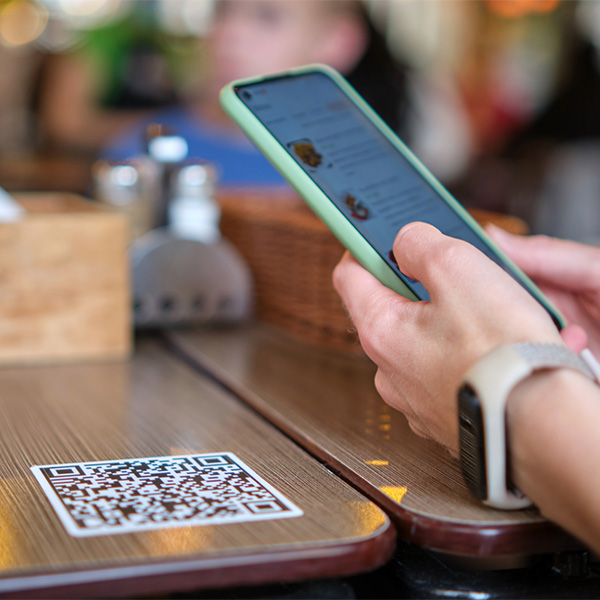 QR codes can be a powerful tool for businesses of all sizes and industries, offering creative and impactful ways to engage customers, streamline operations, and boost sales. Here are a few ideas for how QR codes could be used in various scenarios:
1. Simplify Dining with Contactless Menus
Restaurants could replace physical menus with QR codes, allowing customers to scan a code at their table to view a digital menu. This approach could reduce wait times, improve hygiene, and streamline ordering and payment processes. Customers could order directly from their phones, enhancing the overall dining experience while increasing efficiency.
2. Drive Sales with QR Code Promotions
Retail stores could add QR codes to in-store posters or product tags to offer customers exclusive discounts. Scanning the code could lead shoppers to a landing page showcasing related items or special offers, encouraging upselling. Businesses could also track scans to measure the success of specific promotions and refine their marketing strategies.
3. Collect Valuable Feedback
Service-based businesses could place QR codes on receipts or invoices that direct customers to a quick feedback survey. This would make it easy for customers to provide insights and suggestions. Additionally, the feedback could be used to collect testimonials for use on websites and social media, enhancing the business’s reputation.
4. Streamline Ticketing and Check-ins
Event organizers could use QR codes to replace traditional paper tickets. Customers could receive a QR code upon purchasing a ticket, which they would scan at the event entrance for seamless check-in. This approach could eliminate long lines, reduce staffing needs, and provide real-time attendance tracking.
5. Enhance Product Education
Manufacturers could include QR codes on product packaging that link to how-to videos, user manuals, or troubleshooting guides. Customers would be able to instantly access helpful information, reducing the need for customer support and improving overall satisfaction with the product.
6. Boost Membership Engagement
Gyms or fitness studios could display QR codes throughout their facilities, linking members to workout tutorials, class schedules, or membership benefits. QR codes could also be incorporated into email campaigns to promote new programs, making it easy for members to sign up with just a quick scan.
By leveraging these ideas, businesses could harness the versatility of QR codes to create engaging experiences, improve operations, and build stronger connections with customers. These examples highlight just a few of the many possibilities for integrating QR codes into your business strategy.
Tools and Resources to Get Started with QR Codes for Your Business
 Implementing QR codes in your business is straightforward, thanks to the variety of tools and resources available. These tools cater to different needs, from creating simple static QR codes to generating dynamic codes with advanced features like tracking and customization. Here’s a list of recommended tools and resources to help you start using QR codes effectively:
1. QR Code Generators
- QR Code Generator
A user-friendly tool that allows you to create static and dynamic QR codes. It also offers customization options, such as adding your logo or adjusting colors.
Website: www.qr-code-generator.com
- Canva
Perfect for businesses looking to design visually appealing QR codes that match their branding. Canva allows you to integrate QR codes into marketing materials seamlessly.
Website: www.canva.com
- QRStuff
A versatile platform that supports various types of data, such as URLs, text, and even Wi-Fi credentials. It also offers premium features like analytics tracking.
Website: www.qrstuff.com
- Beaconstac
Designed for businesses that need advanced features, including real-time analytics, retargeting, and multi-channel integrations.
Website: www.beaconstac.com
2. Analytics and Tracking Tools
Tracking the performance of your QR codes is essential for understanding customer behavior and optimizing your strategy. Many QR code generators (like Beaconstac and QR Code Generator) include built-in analytics. Key metrics to track include:
- Number of scans.
- Time and location of scans.
- Devices used by customers.
If your QR codes link to web pages, tools like Google Analytics can also provide insights into traffic and user interactions.
3. Design and Printing Resources
- Adobe Express
Use this tool to create custom QR codes and integrate them into professional marketing materials.
- Vistaprint or Local Printers
Once your QR codes are ready, you can print them on flyers, business cards, banners, or even product packaging.
4. CRM and POS System Integrations
For businesses looking to streamline operations, integrating QR codes into existing systems can make them even more effective:
- HubSpot CRM: Use QR codes to link to lead capture forms or track customer engagement.
- Square or Stripe: Enable contactless payments via QR codes that connect to your payment system.
5. Free Educational Resources
- YouTube Tutorials: Platforms like YouTube offer step-by-step guides for generating and using QR codes effectively.
- Blogs and Case Studies: Many marketing blogs share innovative use cases and best practices for QR codes, giving you inspiration and actionable insights.
By leveraging these tools and resources, you can seamlessly integrate QR codes into your business strategy and maximize their potential. In the final section, we’ll discuss how QR codes are shaping the future of businesses and why adopting them now is a smart move.
Unlocking the Potential of QR Codes for Your Business
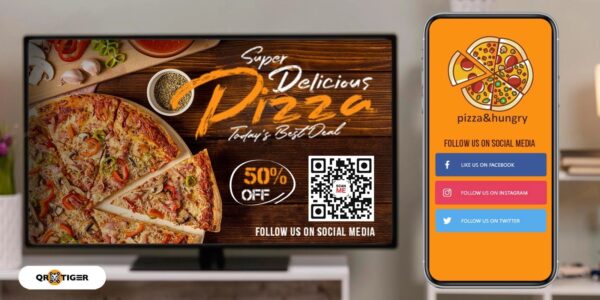 QR codes have proven to be more than just a passing trend—they’re a versatile and cost-effective tool that can transform the way businesses engage with customers and streamline operations. From marketing campaigns to contactless payments and customer feedback, the applications of QR codes are virtually endless.
By following best practices, leveraging the right tools, and integrating QR codes thoughtfully into your business strategy, you can provide added convenience to your customers while gaining valuable insights to grow your business. Whether you’re a small business owner or part of a large enterprise, QR codes offer a scalable solution that adapts to your unique needs.
Take the Next Step
If you haven’t started using QR codes yet, now is the time to explore their potential. Begin by identifying your goals, creating branded QR codes, and testing them across devices to ensure a seamless user experience. With the right implementation, QR codes can help your business connect with customers, boost engagement, and stay ahead in today’s competitive landscape.
Ready to enhance your business with QR codes? Start small, test often, and watch how this simple tool can make a big impact on your growth!




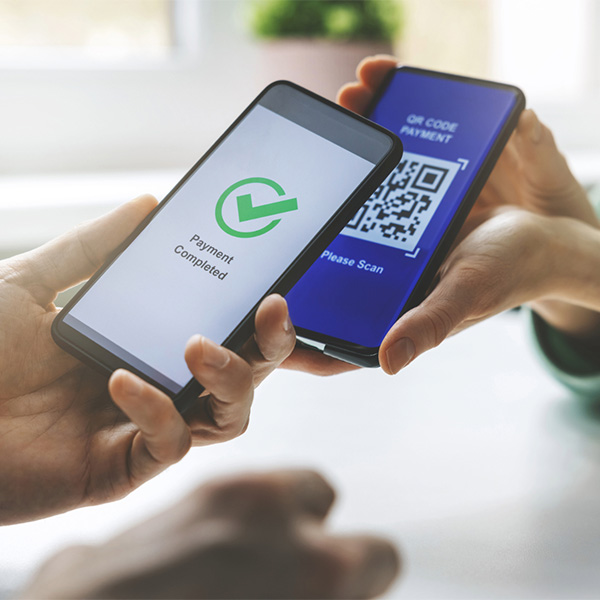 QR codes, short for Quick Response codes, are two-dimensional barcodes that store information in a square grid format. Unlike traditional barcodes, which only store data in one direction, QR codes can hold significantly more information, including URLs, contact details, and even payment instructions. This makes them a versatile tool for businesses looking to share information quickly and efficiently.
 QR codes are more than just a tech trend—they’re a game-changer for businesses across industries. By bridging the gap between offline and online interactions, they provide a seamless way to engage customers and simplify operations. Here are some of the top benefits of using QR codes for businesses:
 QR codes are versatile tools that can be adapted to meet a variety of business needs. Whether you’re focused on marketing, customer engagement, or streamlining operations, these innovative applications of QR codes can help you stand out and improve efficiency.
 Implementing QR codes in your business is straightforward, thanks to the variety of tools and resources available. These tools cater to different needs, from creating simple static QR codes to generating dynamic codes with advanced features like tracking and customization. Here’s a list of recommended tools and resources to help you start using QR codes effectively: