



Video content has become a vital tool for capturing and promoting local events, whether it’s a bustling expo, a vibrant carnival, or a lively farmers market. Crafting a compelling video script is essential to tell the story of these events effectively and engage your audience. A well-structured script not only highlights the event’s key moments but also ensures a smooth flow from start to finish, making your video both captivating and professional. In this guide, we’ll walk you through the step-by-step process of creating engaging video scripts for local events, helping you capture every exciting moment and showcase the true essence of the occasion. From planning your shots to interviewing key participants, we’ll cover everything you need to know to produce a video that stands out.
Understanding the Event and Its Highlights
 Before diving into scriptwriting, it’s crucial to understand the essence of the event you’re covering. Knowing the event’s key elements will help you create a script that captures its unique atmosphere and highlights. Here’s how to get started:
Identify Key Elements:
- Event Type and Theme: Determine the type of event (expo, carnival, farmers market, etc.) and its overarching theme. This will guide the tone and style of your video.
- Main Attractions: Identify the primary attractions that draw attendees to the event. This could include food vendors, music performances, games, special guests, and more.
- Sponsors and Partners: Acknowledge the sponsors and partners who support the event. Featuring them in your video is essential for building relationships and showcasing their contributions.
Define Your Goals:
- Purpose of the Video: Clarify the objective of your video. Are you creating promotional content to attract future attendees, documenting the event for archival purposes, or generating social media content to engage current followers?
- Target Audience: Understand who your audience is. Are you targeting local residents, event enthusiasts, or a specific demographic? This will influence your script’s tone and content.
Event Schedule and Logistics:
- Timelines: Familiarize yourself with the event schedule to plan your shots accordingly. Knowing when key activities and performances will take place allows you to be in the right place at the right time.
- Venue Layout: Understanding the layout of the venue helps you plan your shots and transitions effectively. Identify locations for wide shots, vendor interviews, and other key scenes.
By thoroughly understanding the event and its highlights, you can craft a video script that not only captures the excitement and essence of the occasion but also aligns with your marketing goals. This foundational knowledge sets the stage for a well-organized and engaging video production process.
Pre-Production Planning
 Before you start filming, thorough pre-production planning is essential to ensure your video runs smoothly and effectively captures the event. This phase involves research, storyboarding, and drafting your video scripts for local events.
Research and Outline:
- Gather Information: Collect detailed information about the event, including the schedule, key attractions, and participating vendors. Knowing the event inside out will help you plan your shots and interviews efficiently.
- List Must-Have Shots: Create a list of essential shots that need to be included in the video. This could be wide shots of the event, close-ups of vendors, performances, and interactions with attendees.
- Identify Key Interviews: Plan who you will interview, such as the event coordinator, vendors, sponsors, and attendees. Prepare a set of questions for each interview to ensure you cover all necessary points.
Storyboard:
- Visual Outline: Develop a storyboard that visually outlines the flow of your video. This includes the sequence of scenes, camera angles, and transitions. A storyboard helps you visualize the final product and ensures that all critical elements are captured.
- Include the Primary Keyword: Integrate the primary keyword, “video scripts for local events,” into your storyboard notes to remind yourself to focus on this aspect during filming and narration.
Script Drafting:
- Opening Scene: Begin with a wide shot or a drone shot to capture the overall scale and excitement of the event. Introduce the event and set the scene for your viewers.
- Detailed Planning: Draft a script that outlines each scene, including narration, interview questions, and key points to highlight. Ensure that your script flows logically from one segment to the next, maintaining viewer interest.
- Narration and Voiceovers: Plan where narration or voiceovers will be needed to provide context and enhance storytelling. Write concise and engaging narration that incorporates your primary keyword to improve SEO and viewer comprehension.
By investing time in pre-production planning, you lay a solid foundation for a successful video shoot. This preparation helps you stay organized, capture all necessary footage, and ensure your video scripts for local events are comprehensive and effective. Proper planning ultimately leads to a smoother filming process and a more polished final product.
Crafting the Script
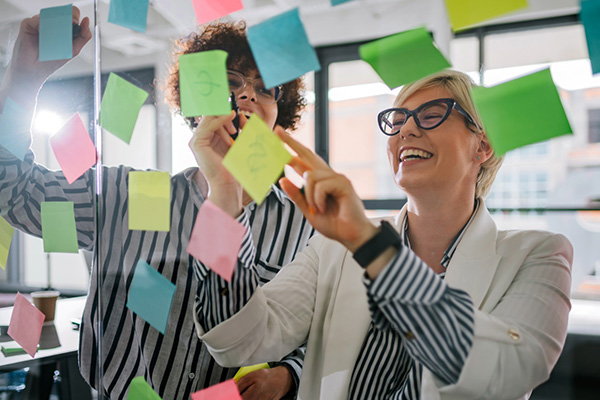 With a solid understanding of the event and thorough pre-production planning, it’s time to dive into the heart of your project: crafting the video script. A well-written script is the backbone of any successful video, guiding every shot, narration, and interview. Here’s how to create engaging video scripts for local events.
Opening Scene:
- Setting the Scene: Start with a wide shot or a drone shot to establish the event’s location and scale. This panoramic view captures the excitement and bustling activity, drawing viewers into the experience.
- Introductory Narration: Introduce the event with a brief, engaging narration. Mention the event name, its purpose, and a hint of what viewers can expect. For example, “Welcome to the Annual Food & Fun Expo, where food vendors, music, and games come together for a day of excitement!”
Highlighting Sponsors:
- Sponsor Shots: Include clear, well-framed shots of sponsor logos, banners, and booths. This not only acknowledges their support but also provides valuable exposure for them.
- Narration: Briefly mention the sponsors in your narration, highlighting their contributions. For example, “A big thank you to our sponsors, whose support makes this event possible.”
Entering the Event:
- Transition Shots: Use dynamic shots of entering the event space, capturing the energy and atmosphere. This transition helps to maintain viewer interest and sets the stage for the detailed coverage.
- Narration: Provide context and guide viewers through the experience. For example, “As we step into the heart of the event, let’s explore what makes this day so special.”
Vendor Visits:
- Vendor Interactions: Plan visits to each vendor, showcasing their unique offerings. Capture close-ups of their products and interactions with attendees.
- Interviews: Conduct short interviews with vendors. Prepare questions such as, “What inspired you to participate in this event?” and “What’s your most popular item today?” These interviews add depth and personal stories to your video.
Coordinator Interview:
- Key Interview: Schedule an interview with the event coordinator. This segment provides valuable insights into the event’s planning and purpose.
- Interview Questions: Prepare thoughtful questions, such as, “What are the goals of this event?” and “What makes this year’s event unique?” This interview can be a centerpiece of your video, offering behind-the-scenes perspectives.
Guest Interview:
- Capturing Reactions: Select a few event guests for spontaneous interviews. Their genuine reactions and experiences add authenticity and relatability to your video.
- Sample Questions: Ask questions like, “What’s been your favorite part of the event so far?” and “Would you come back next year?” These responses help to convey the event’s success and impact.
Music and Entertainment:
- Performance Shots: Include shots of the band or entertainers performing. Capture the crowd’s reactions and the overall vibe.
- Narration: Highlight the entertainment aspect in your narration, emphasizing its role in the event’s atmosphere. For example, “The lively music and captivating performances are a highlight of the day.”
Closing Scene:
- Event Recap: Conclude with a recap of the event’s key moments. Use a mix of footage to remind viewers of the highlights.
- Final Narration: Wrap up the video with a strong closing message. Mention upcoming events, thank viewers for watching, and include a call-to-action. For example, “Thank you for joining us at the Food & Fun Expo. We look forward to seeing you at our next event. Follow us on social media for more updates!”
Crafting detailed video scripts for local events ensures that you capture every important moment while maintaining a cohesive and engaging narrative. This structured approach not only enhances the viewing experience but also helps in achieving your video marketing goals. By paying attention to each segment and weaving in compelling interviews and dynamic shots, your video will stand out and resonate with your audience.
Tips for Effective Interviews
Interviews are a crucial component of any event video, adding depth and personal connection to your content. Effective interviews can transform your video from a simple event recap into a compelling narrative that engages your audience. Here’s how to conduct successful interviews when creating video scripts for local events.
Prepare Questions in Advance:
- Tailor Your Questions: Customize your questions for each interviewee based on their role and perspective. For vendors, ask about their products and experience at the event. For attendees, focus on their favorite moments and overall impressions.
- List of Questions: Prepare a list of open-ended questions that encourage detailed responses. Questions like, “What inspired you to participate in this event?” and “How has the community responded to your offerings?” can elicit informative and engaging answers.
Create a Comfortable Atmosphere:
- Ease Nervousness: Many people may feel nervous on camera. Start with casual conversation to help them relax before diving into the interview.
- Friendly Environment: Choose a quiet location away from the hustle and bustle of the event to minimize distractions and background noise. Ensure the setting is comfortable and conducive to a natural conversation.
Capture Authentic Reactions:
- Encourage Spontaneity: While it’s important to have prepared questions, be open to spontaneous moments. Sometimes, the best responses come from unplanned interactions.
- Be an Active Listener: Show genuine interest in the interviewee’s responses. Nod, smile, and ask follow-up questions based on their answers to encourage a natural dialogue.
Technical Considerations:
- Audio Quality:/ Use high-quality microphones to ensure clear audio. Background noise can be a major distraction, so test your equipment and check audio levels before starting the interview.
- Lighting: Position the interviewee in good lighting to ensure they are well-lit and the video looks professional. Natural light works well, but be mindful of shadows and harsh sunlight.
- Framing: Frame your shot carefully. Ensure the interviewee is centered, with enough headroom and not too much empty space. A well-composed shot adds to the professionalism of your video.
Edit with Care:
- Highlight Key Points: During editing, focus on the most compelling and informative parts of the interview. Trim any unnecessary or repetitive sections to keep the video concise and engaging.
- Add Context: Use on-screen text or graphics to introduce the interviewee and provide context for their responses. This helps viewers follow along and understand who is speaking and why.
By following these tips, you can conduct effective interviews that add richness and authenticity to your video scripts for local events. Well-executed interviews not only provide valuable insights and personal stories but also help to humanize your video content, making it more relatable and engaging for your audience.
Technical Considerations for High-Quality Video Production
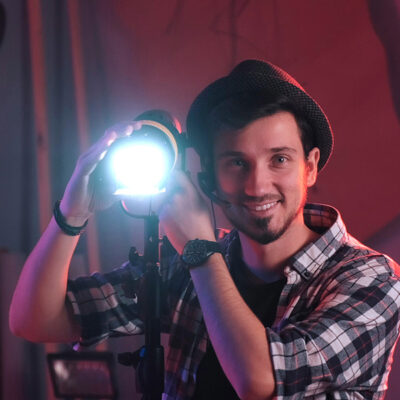 Creating professional and engaging videos for local events requires careful attention to technical details. The quality of your video can significantly impact how your audience perceives the event and your brand. Here are some essential technical considerations to ensure your video production stands out.
Audio Quality
Audio quality is a critical component of any video production. Poor audio can be distracting and diminish the overall viewing experience, no matter how great the visuals are. Here’s how to ensure top-notch audio quality:
- Microphone Selection: Invest in high-quality microphones, such as lavalier mics for interviews and shotgun mics for ambient sound. This ensures clear and crisp audio capture.
- Noise Reduction: Be mindful of background noise. Use windshields for outdoor shoots and choose quiet locations for interviews. Always test your audio levels before recording.
- Audio Monitoring: Continuously monitor audio levels during filming. Use headphones to listen in real-time and adjust settings as needed to avoid any unpleasant surprises during editing.
Lighting
Good lighting can make a significant difference in the visual appeal of your video. Proper lighting ensures your subjects are well-illuminated and helps set the mood of your content.
- Natural Light: Utilize natural light whenever possible, especially for outdoor events. Shoot during the golden hours (early morning or late afternoon) for the best natural lighting.
- Artificial Lighting: For indoor or controlled environments, use softbox lights, ring lights, or LED panels to achieve even and flattering lighting. Avoid harsh shadows and overexposure.
- Light Positioning: Position lights at appropriate angles to highlight your subjects effectively. Three-point lighting (key light, fill light, and backlight) is a standard setup that provides balanced illumination.
Camera Angles and Movement
Dynamic camera work keeps your video visually interesting and engaging. Consider these techniques to enhance your footage:
- Variety of Shots: Use a mix of wide shots, medium shots, and close-ups to add depth and variety to your video. Wide shots establish the scene, medium shots capture interactions, and close-ups highlight details.
- Camera Movement: Incorporate smooth camera movements, such as pans, tilts, and tracking shots, to create a sense of motion and energy. Use gimbals or sliders for steady, professional-looking movements.
- Drone Shots: If available, use drone shots to capture stunning aerial views of the event. This adds a unique perspective and can be particularly effective for large outdoor events.
Editing and Post-Production
The editing phase is where your video comes together. Thoughtful editing can enhance the storytelling and ensure a polished final product.
- Editing Software: Use professional editing software like Adobe Premiere Pro, Final Cut Pro, or DaVinci Resolve. These tools offer advanced features and flexibility for refining your footage.
- Consistent Style: Maintain a consistent style throughout your video. Use the same color grading, transitions, and fonts to create a cohesive look.
- Sound Design: Pay attention to sound design. Add background music, sound effects, and clear voiceovers to enhance the auditory experience. Ensure that music levels complement, rather than overpower, the dialogue.
File Management and Backup
Proper file management and backup procedures are essential to avoid losing valuable footage.
- Organized Workflow: Keep your files organized with a clear naming convention and folder structure. Separate raw footage, audio files, graphics, and project files for easy access.
- Backup Copies: Always create backup copies of your footage. Use external hard drives, cloud storage, or both to safeguard your work against potential data loss.
By focusing on these technical considerations, you can significantly enhance the quality of your video scripts for local events. High-quality production not only makes your videos more appealing but also reinforces the professionalism of your brand. Taking the time to get these details right ensures that your final video will captivate and engage your audience, leaving a lasting impression.
Editing and Post-Production
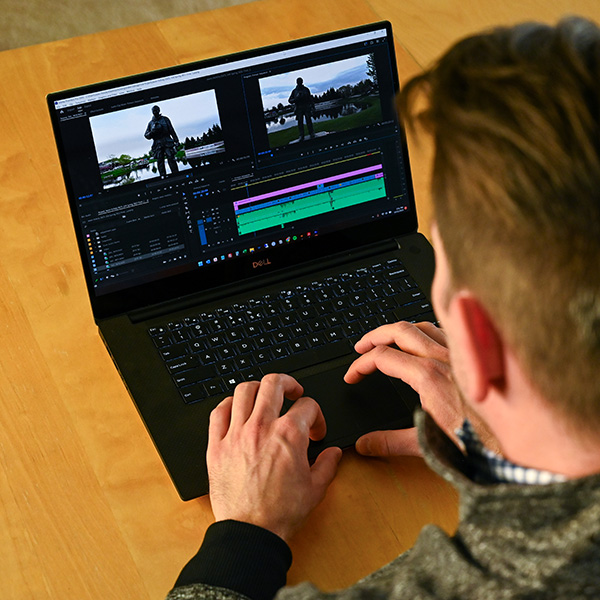 The editing and post-production phase is where your raw footage transforms into a polished, engaging video. This stage involves not only piecing together your shots but also enhancing the overall narrative and visual appeal. Here’s how to navigate this crucial part of creating video scripts for local events.
Organizing Your Footage
Before you dive into editing, take the time to organize your footage. This will streamline your workflow and make the editing process more efficient.
- Sort and Label: Sort your clips into folders based on scenes, interviews, and B-roll. Label each clip with descriptive names to easily identify them during editing.
- Create a Rough Cut: Assemble a rough cut by arranging your clips in the order outlined in your script. This initial assembly helps visualize the flow of your video and identify any missing elements.
Storytelling Through Editing
Editing is an art that involves crafting a compelling narrative from your footage. Pay attention to pacing, transitions, and the overall story arc.
- Pacing: Maintain a steady pace that keeps viewers engaged. Avoid lingering too long on any single shot unless it serves a specific purpose. Keep the momentum going, especially for dynamic events like expos and carnivals.
- Transitions: Use transitions to smoothly move from one scene to another. Simple cuts are often the most effective, but fades, dissolves, and wipes can also be useful when appropriately applied.
- Narration and Voiceovers: Incorporate narration or voiceovers to provide context and guide viewers through the video. Ensure the audio quality is clear and matches the tone of your video.
Visual Enhancements
Enhancing the visual quality of your video can make a significant difference in its appeal. Focus on color correction, graphics, and special effects.
- Color Correction: Adjust the color balance, brightness, and contrast to ensure a consistent and professional look throughout your video. Use color grading to create a specific mood or aesthetic that complements the event.
- Graphics and Text: Add text overlays to introduce interviewees, highlight key points, or provide additional information. Use lower thirds, titles, and call-to-action graphics to enhance the viewer’s understanding and engagement.
- Special Effects: While special effects should be used sparingly, they can add flair to your video. Consider slow-motion for dramatic moments, time-lapses for crowd scenes, or motion graphics for dynamic introductions.
Sound Design
Sound design is crucial in creating an immersive and professional video. Pay attention to music, sound effects, and audio balancing.
- Background Music: Select background music that matches the tone and energy of your event. Ensure the music is not too overpowering and complements the dialogue and narration.
- Sound Effects: Add subtle sound effects to enhance realism and immersion. This could include ambient sounds, crowd noise, or specific effects that highlight actions within the video.
- Audio Balancing: Ensure that all audio levels are balanced. Dialogue should be clear and at the forefront, while background music and sound effects should complement without overwhelming.
Review and Refine
The final step in the editing process is reviewing and refining your video. Take the time to polish every detail and ensure the final product meets your standards.
- Feedback: Seek feedback from colleagues or clients to gain different perspectives. Fresh eyes can catch mistakes or suggest improvements you might have overlooked.
- Fine-Tuning: Make necessary adjustments based on feedback. Pay attention to any continuity errors, awkward cuts, or audio issues.
- Final Touches: Add any final touches, such as end credits, sponsor logos, or calls-to-action. Ensure your video has a professional finish and effectively communicates your message.
Exporting and Sharing
Once your video is complete, it’s time to export and share it with your audience. Choose the right settings and platforms to maximize reach and impact.
- Export Settings: Use high-quality export settings to maintain the integrity of your video. Consider the platform where it will be shared and adjust the resolution and format accordingly.
- Distribution: Plan a distribution strategy to ensure your video reaches the intended audience. Share it on social media, embed it on your website, and send it out through email newsletters.
By meticulously editing and refining your video scripts for local events, you ensure that the final product is not only visually and audibly appealing but also effectively tells the story of the event. The post-production phase is where your creative vision truly comes to life, transforming raw footage into a captivating narrative that engages and delights your audience.
Conclusion
Creating engaging video scripts for local events is an art that combines strategic planning, technical expertise, and creative storytelling. From understanding the event and planning your shots to crafting detailed scripts and conducting effective interviews, each step plays a crucial role in producing a compelling final product. Attention to technical considerations, such as sound and lighting, further enhances the quality of your videos, while meticulous editing brings everything together to tell a captivating story.
By following this comprehensive guide, you can create professional and engaging videos that not only capture the essence of local events but also resonate with your audience. Remember, the goal is to showcase the unique atmosphere and key moments of the event, creating a memorable experience for viewers.
Elevate Your Event Coverage with Professional Video Services
Ready to take your event videos to the next level? Professionalism and high-quality production can make all the difference in capturing the true spirit of your local events. At Holicky Corporation, we specialize in commercial video services that ensure your events are showcased with excellence and creativity. Whether it’s an expo, carnival, farmers market, or any local event, our expert team is here to help you create stunning videos that leave a lasting impression. Let’s create something amazing together!

About the Author
Jason Holicky is the founder of Holicky Corporation, a successful marketing agency in New Lenox, Illinois. With over 25 years of experience, he specializes in marketing consulting, website development, corporate photography, video editing, and social media management. Jason is passionate about helping businesses thrive and staying updated with marketing and technology trends. He is a certified Google Ads expert and AppDirect technology advisor.
Ready to Elevate Your Online Presence? Let’s Get Started!
Take the first step towards a robust online website system with our expert web development services. Whether you’re looking to create a custom website, build a scalable Content Management System, or develop seamless APIs, our team is here to bring your vision to life. Contact us today to discuss your project and discover how our custom solutions can transform your online platform.



